Skip to content


TL;DR:
- IT equipment relocation involves careful planning to safely disconnect, transport, and reinstall technology assets, minimizing data loss and business disruption. Proper execution requires early coordination, strict shutdown procedures, specialized packing, and active post-move support to ensure a smooth transition.
IT equipment relocation is the coordinated process of safely disconnecting, transporting, and reinstalling servers, network devices, and technology assets to protect data integrity and minimise business disruption. Known in the industry as a technology asset relocation, this process goes far beyond standard office moving. It requires structured planning, strict shutdown sequences, specialised packing materials, and a clear reassembly protocol. Whether you are an IT manager coordinating a mid-sized office move or a business owner overseeing your first IT equipment relocation, understanding the full scope of this process is the difference between a smooth cutover and days of lost productivity.
What is the IT relocation process from start to finish?
A structured IT relocation requires at least 8 weeks of lead time for small businesses and 4–6 months for medium-to-large enterprises. That timeline is not arbitrary. ISP provisioning alone requires 4–8 weeks, and equipment procurement, cabling design, and configuration testing all stack on top of that. Starting late is the single most common reason IT moves go over budget and over schedule.
The relocation of technology assets follows six defined phases:
- Site survey and design. Assess the new location for power capacity, rack space, cooling, and network entry points. Identify gaps before any equipment moves.
- Procurement and vendor coordination. Order new hardware, cabling, and ISP services. Confirm delivery windows align with your move date.
- Cabling and pre-configuration. Run cables, label every port, and pre-configure switches, VLANs, and firewall rules at the new site weeks before move day.
- Staging and testing. Power up pre-configured equipment at the new site and verify connectivity before any production systems arrive.
- Move day execution. Shut down systems in the correct order, transport equipment using proper vehicles, and reassemble following a strict sequence.
- Post-move stabilisation. Monitor systems actively for 2–4 weeks and resolve emerging issues with on-site support.
Pro Tip: Involve your IT team the moment a lease is signed. Waiting until two weeks before the move is too late to mitigate risks like wrong cable runs, inadequate power supply, or missed ISP deadlines.
Many business owners treat the IT move as a task to hand off to a moving company at the last minute. That approach consistently produces wrong cable runs, inadequate power circuits, and missed ISP deadlines. The IT relocation process is a technology project that happens to involve physical transport, not the other way around.
How do you safely pack and transport IT equipment?
Data protection starts before any cable is unplugged. The 3-2-1 backup rule requires three copies of all data, stored on two different media types, with one copy kept offsite. Apply this before any physical handling of servers begins. A backup that has not been verified with a test restore is not a backup.
Once data is secured, follow these physical handling protocols:
- Shutdown sequence. Power down applications first, then workstations, then servers, then networking gear. This reverse-dependency order prevents data corruption and avoids multi-day troubleshooting after the move.
- Cooldown period. Servers need at least 30 minutes to cool after shutdown before packing. Packing hot equipment traps heat and risks component damage.
- Anti-static packaging. Wrap all circuit boards, drives, and network cards in anti-static bags. Static discharge from standard packing materials can destroy components without leaving any visible mark.
- Shock-absorbing materials. Use foam-lined cases or custom crating for servers and rack-mounted equipment. Standard office moving blankets are inadequate and can cause hardware failure through vibration and static.
- Climate-controlled transport. Servers and switches must travel in vehicles with climate control and air-ride suspension. Temperature swings and road vibration are the two leading causes of transit damage to IT hardware.
Pro Tip: Photograph every cable connection and rack layout before disassembly. A 10-minute photo session saves hours of guesswork during reassembly at the new site.
Specialised IT equipment transport is not the same as general freight. The vehicles, materials, and handling protocols are fundamentally different. Using a general mover for server transport is a risk that rarely pays off.

What is the correct shutdown and reassembly order?
The sequence of powering down and reconnecting equipment follows a rigid dependency chain. Ignoring this sequence converts what should be hours of work into multi-day troubleshooting. The table below shows the correct order for both phases.
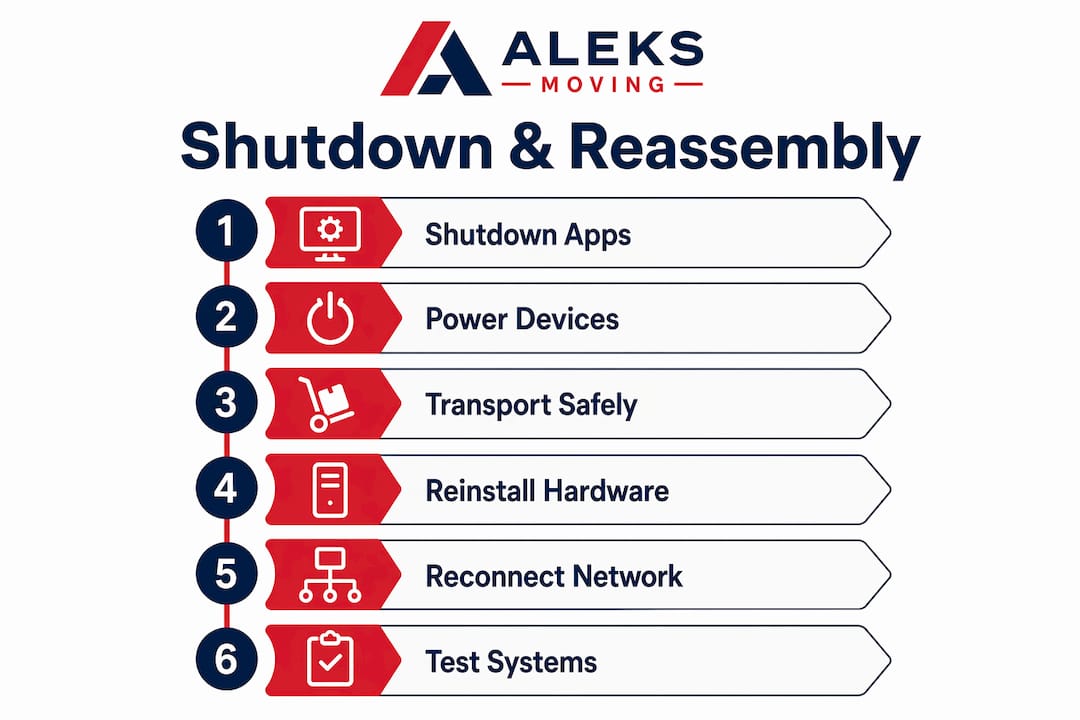
| Phase | Step | Equipment | Estimated Time |
|---|---|---|---|
| Shutdown | 1 | Applications and services | 30–60 minutes |
| Shutdown | 2 | Workstations and end-user devices | 30–60 minutes |
| Shutdown | 3 | Servers | 30–60 minutes |
| Shutdown | 4 | Networking gear (switches, routers, firewall) | 15–30 minutes |
| Reassembly | 1 | Firewall, then router | 1–3 hours |
| Reassembly | 2 | Switches and patch panels | 1–3 hours |
| Reassembly | 3 | Servers | 3–6 hours |
| Reassembly | 4 | Workstations and end-user devices | 6–12 hours |
The preferred reassembly connection order is firewall, router, switches, patch panels, servers, and then workstations. Network infrastructure must be live and tested before a single server is powered on. Bringing servers online before the network is confirmed causes cascading errors that are difficult to trace.
Pre-move port mapping and cable labelling are what make this sequence executable under pressure. Every cable should carry a label at both ends identifying its source port and destination port. Every rack position should be documented in a floor plan before disassembly begins. Staged loading on move day should mirror the reassembly sequence. Networking gear loads last onto the truck so it unloads first at the new site.
Zero-downtime moves use a loading sequence that puts networking gear at the front of the reassembly queue. Full reassembly across all phases typically takes 6–12 hours. That window is manageable when the sequence is planned. Without a plan, the same work stretches across multiple days.
How do you minimise downtime after an IT move?
Downtime reduction begins weeks before move day, not on the day itself. Pre-staging network configurations at the new site, including switches, VLANs, and firewall rules, means move-day teams only need to plug in cables rather than commission an entire network under pressure. Without pre-staging, every configuration decision happens in real time, and errors compound quickly.
Practical steps to protect operations during and after the move:
- Schedule the move during low-impact hours. Weekend or overnight moves reduce the number of users affected by downtime. Friday evening to Sunday morning is the standard window for business-critical environments.
- Test before you go live. Run connectivity tests, application access checks, and VoIP quality tests at the new site before staff arrive on Monday morning.
- Plan for a stabilisation period. A 2–4 week stabilisation window is normal after any IT move. Wi-Fi dead spots, mislabeled jacks, and application access glitches typically surface in the first days of use.
- Keep on-site IT support available. The first week post-move is when most issues appear. Having a technician on-site, rather than on call, cuts resolution time significantly.
- Communicate with staff. Tell employees what to expect, what to report, and who to contact. Clear communication reduces panic calls and helps your team triage real issues faster.
The first weeks after relocation consistently surface infrastructure issues that were not visible during planning. Active triage during this period, rather than reactive support, keeps user experience stable and builds confidence in the new environment.
Key takeaways
Successful IT equipment relocation requires early planning, a strict shutdown and reassembly sequence, specialised packing, and active post-move support to protect data and minimise downtime.
| Point | Details |
|---|---|
| Start planning early | Small businesses need 8 weeks; medium-to-large enterprises need 4–6 months minimum. |
| Follow the 3-2-1 backup rule | Back up all data to three copies on two media types, with one offsite, before touching any hardware. |
| Use the correct shutdown order | Power down applications, workstations, servers, then networking gear to prevent data corruption. |
| Pre-stage the new network | Configure switches, VLANs, and firewall rules weeks before move day to avoid commissioning under pressure. |
| Plan for stabilisation | Expect 2–4 weeks of minor issue resolution after the move and keep on-site IT support available. |
What i have learned after watching dozens of IT moves go wrong
After working alongside IT managers and business owners through countless office relocations across Ontario, the pattern is always the same. The moves that go smoothly are the ones where the IT team was involved from day one. The moves that turn into multi-day crises are the ones where IT was handed a move date two weeks out and told to make it work.
The biggest misconception I see is that IT relocation is a logistics problem. It is not. It is a technology project with a logistics component. The physical transport is the easy part. The hard part is the dependency mapping, the pre-staging, the cable documentation, and the post-move triage plan. When those pieces are in place, move day is almost anticlimactic.
One thing that surprises most business owners is how much the logistics of an office move affect the IT timeline. ISP lead times, power circuit upgrades, and rack delivery windows all have hard deadlines that cannot be compressed. Missing any one of them pushes the entire move date.
My honest advice: treat the stabilisation period as part of the project, not as a sign that something went wrong. Wi-Fi dead spots and mislabeled jacks are normal. They surface because the new environment is different from the old one in ways that are impossible to fully anticipate. Build two to four weeks of active support into your plan from the start, and your team will experience the move as a minor inconvenience rather than a crisis.
— Ali
Move your IT equipment with confidence
Planning an office IT relocation across Ontario? Aleksmoving has over 18 years of experience handling business moves with care, precision, and flat-rate pricing that carries no hidden fees. Our team understands the physical demands of moving sensitive technology assets, from proper packing materials to climate-appropriate transport.

Whether you are moving a small office or a multi-floor enterprise, we provide the dependable support your business needs to get back online quickly. Explore our commercial moving services or visit our trusted moving services page to request a free upfront quote today. We are here to make your next move a smooth one.
FAQ
What does IT equipment relocation mean?
IT equipment relocation is the structured process of safely disconnecting, packing, transporting, and reinstalling servers, network devices, and other technology assets during an office move. The goal is to protect data integrity and minimise operational downtime throughout the transition.
How far in advance should i plan an IT move?
Small businesses need at least 8 weeks of lead time, while medium-to-large enterprises require 4–6 months. ISP provisioning alone can take 4–8 weeks, making early planning non-negotiable.
What is the 3-2-1 backup rule for IT moves?
The 3-2-1 backup rule means keeping three copies of all data, stored on two different media types, with one copy held offsite. Apply this rule and verify a test restore before any physical handling of servers begins.
What packing materials are required for IT equipment?
Servers and network hardware require anti-static bags, foam-lined cases or custom crating, and transport in climate-controlled vehicles with air-ride suspension. Standard moving blankets are inadequate and can cause hardware failure through vibration and static discharge.
How long does it take to reassemble IT systems after a move?
Full reassembly typically takes 6–12 hours when following the correct sequence: firewall and router first, then switches and patch panels, then servers, and finally workstations. Pre-staging network configurations before move day reduces this window significantly.