

The most effective way to protect your business during an office relocation is to treat the move as a structured operational project, not a logistical exercise. That means starting your planning well in advance, sequencing departments by criticality, keeping IT systems live through phased transitions, and communicating clearly with both your team and your clients throughout. When you approach relocation this way, the Canadian Centre for Cyber Security confirms your business continuity plan becomes a living framework covering initiation, analysis, development, implementation, and review, with defined Recovery Time Objectives and Recovery Point Objectives built in from the start.
Here is what a well-run relocation actually protects:
- Critical operations: phones, data access, finance controls, and customer-facing services stay active throughout
- IT infrastructure: servers, networks, and cloud systems are sequenced and tested before staff arrive
- People: employees know their roles, timelines, and what to expect on move day
- Customers: clients experience no gap in service or communication
- Risk exposure: contingency plans are in place before anything goes wrong
The difference between a disruptive move and a controlled one almost always comes down to how early you start and how deliberately you sequence each phase.
How to build a business continuity plan for your move
Continuity planning for relocation works best when it starts well before the first box is packed. Canadian commercial relocation best practices recommend beginning move planning several months in advance to allow time for risk assessments, lease review, and IT coordination. A runway of several months gives you room to catch problems before they become crises.
Your first task is forming a move committee with clear ownership across four areas: facilities, IT, people logistics, and client communications. Each lead needs defined authority and a direct line to the project manager. Without that structure, even well-funded relocations drift into confusion.
Key planning milestones to map on your timeline:
- Several months out: Lease review, risk assessment, IT audit, new site survey, move committee formed
- A few months out: Phased move sequence finalised, IT migration plan drafted, vendor contracts confirmed
- Weeks out: Staff briefings, labelling system in place, customer notifications sent
- Days out: Pre-move system testing at new site, contingency contacts distributed
- Move day: On-site leads active, phased execution begins, real-time issue tracking
| Milestone | Timeline | Owner |
|---|---|---|
| Lease review and risk assessment | Early stage | Facilities lead |
| IT ecosystem audit | Early stage | IT lead |
| Phased move sequence confirmed | Mid planning | Project manager |
| Vendor contracts signed | Mid planning | Facilities lead |
| Staff and customer communications | Weeks prior | Communications lead |
| Pre-move system testing | Days prior | IT lead |
| On-site move day supervision | Move day | All leads |
Why phased moves protect your operations better than a single-day relocation
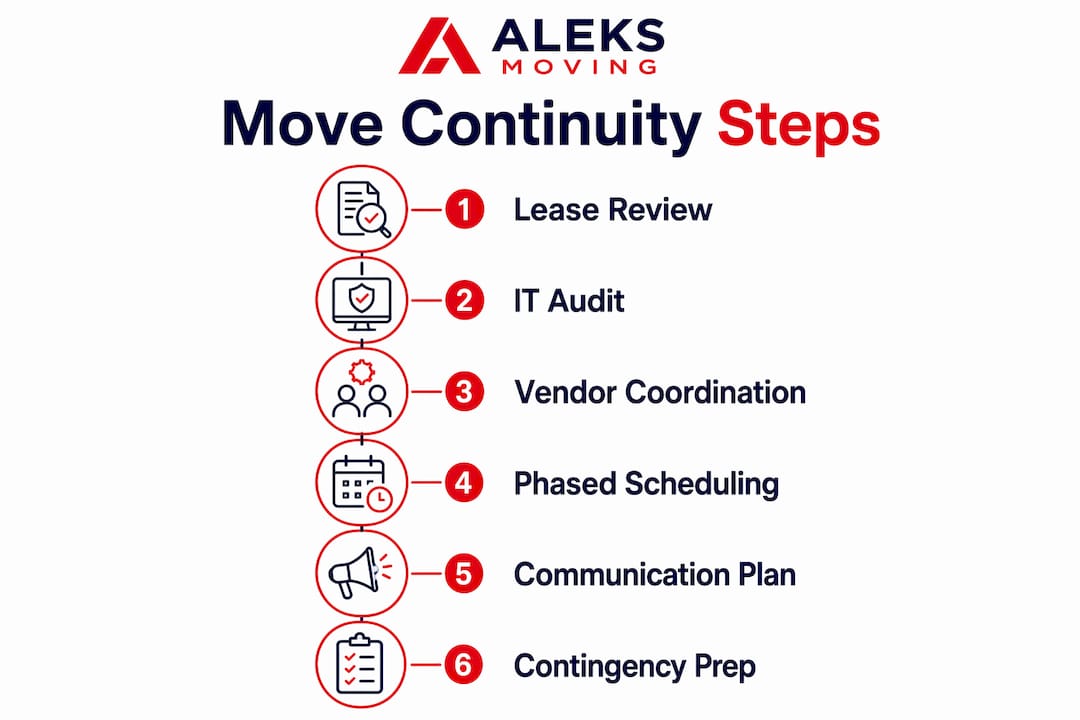
A one-day, all-at-once relocation sounds efficient. In practice, it creates pressure points where a single delay ripples across every department simultaneously. Phased moving strategies that sequence departments and services are more effective at minimising disruptions and allow testing of new site infrastructure before the full transition.
The logic is straightforward: move what can pause without damage first, keep mission-critical functions running until the new site is confirmed ready, then transition the teams that need live access to shared systems.
A practical staging sequence looks like this:
- Phase 1: Archives, spare furniture, non-urgent equipment, and low-dependency back-office functions move first. These test building access, loading logistics, and basic connectivity at the new site.
- Phase 2: Administration, scheduling, and internal support teams move once Phase 1 issues are resolved and core infrastructure is confirmed.
- Phase 3: IT infrastructure, servers, and network hardware move with technicians on-site for immediate reconnection and testing.
- Phase 4: Customer-facing teams, sales, and client services move only after phones, internet, and workstation access are fully operational.
Flexible scheduling such as evening or weekend phases allows moves to happen around operational hours, reducing both downtime risk and employee disruption. For many Canadian businesses, a Friday-evening start with a Monday-morning go-live is the most practical model.
How to keep your IT and technology running through the move
IT outages cause most of the downtime during office moves. Conducting a full audit of IT assets and having technicians on-site for immediate reconnection prevents long outages and data loss. This is not a step you can delegate to the last two weeks.
Start your IT continuity work at the same time you form your move committee. A full audit covers every device, server, cloud service, VoIP line, network component, and security system. From there, you define two critical thresholds: your Recovery Time Objective (how long a system can be offline before it causes real damage) and your Recovery Point Objective (how much data loss is acceptable). Those numbers drive every decision that follows.
IT continuity checklist for your move:
- Complete hardware and software inventory, categorised by operational priority
- Off-site data backups and cloud redundancy confirmed before disconnection
- New site network, phone lines, and security access tested in advance
- Scheduled disconnection and reconnection managed by experienced IT staff
- Temporary mobile devices or cloud-based communication tools available for essential staff during transition
- On-site IT technician present throughout move day for immediate troubleshooting
For detailed guidance on coordinating IT equipment through a commercial relocation, the specifics of server transport, reconnection sequencing, and pre-move testing are worth reviewing well before your move date.
What your communication plan needs to cover
Clear communication is one of the easiest ways to reduce disruption, and one of the most commonly underestimated. Your team and your clients do not need constant updates. They need the right information at the right time, through channels they actually check.
Build your communication plan around three audiences: employees, clients, and vendors. Each group needs different information on a different schedule.
For employees:
- Announce the move and timeline as early as possible to reduce rumour and uncertainty
- Send phased updates aligned with each planning milestone
- Provide clear packing instructions, labelling guidance, and move-day expectations
- Identify a single point of contact for questions throughout the process
For clients:
- Notify key accounts well before the move, especially if deliveries or appointments may be affected
- Update your address across Google Business Profile, your website, and any industry directories
- Confirm that phone numbers and email addresses remain unchanged, or communicate new ones clearly
- Send a post-move confirmation once operations are fully restored
For vendors and suppliers:
- Give notice early, particularly for vendors with long lead times for address changes or service transfers
- Confirm that utility transfers, internet installation, and security access are booked and confirmed
A centralised communication hub, whether a shared intranet page, a project management tool, or a simple shared folder, keeps all updates, contacts, and timelines in one place. Printed emergency contacts and physical access credentials should be distributed to leads in advance, because digital systems may be temporarily unavailable on move day.
Supervision, setup, and getting back to full speed after the move
Move day is where planning either pays off or falls apart. Empowering move leads with decision-making authority on-site prevents delays caused by approval bottlenecks under pressure. Each lead should have a defined area, a contact list, and the authority to make calls without waiting for sign-off.
Assign supervisors at both the old and new locations. Track equipment and crates against your floor plan in real time. Test phones, broadband, and shared systems after each phase before the next one begins. Do not wait until everyone has arrived to discover that the internet connection is not working.
Post-move, resist the urge to focus on aesthetics before operations. Get people productive first: desks set up, systems confirmed, key areas functional. Then collect employee feedback within the first 48–72 hours to catch issues before they compound. A punch list for minor repairs, signage, and workspace adjustments keeps the recovery process structured rather than reactive.
What Aleksmoving has learned from 18+ years of Canadian relocations
Aleksmoving has been helping Ontario businesses relocate for over 18 years, and the pattern is consistent: the moves that go smoothly are the ones where the client treated the relocation as an operational project from day one, not a packing exercise.
Pro Tip: Book your commercial mover well in advance, and schedule a walkthrough of both sites before move day. Sharing your floor plan, labelling system, and phased sequence with your moving crew in advance eliminates the most common source of move-day confusion.
Professional movers who align logistics tightly to business priorities help avoid downtime by managing staging, technology handling, and scheduling specialised crews for continuity. Aleksmoving’s flat-rate pricing and no-hidden-fees approach means you can plan your relocation budget with confidence, without last-minute surprises.
How to assess risk and structure your continuity planning phases
The Government of Canada’s guidelines on business continuity planning confirm that effective plans must be living documents, tested regularly through simulations to address interdependencies between facility access, IT infrastructure, and personnel availability. For a relocation, that framework maps directly onto four phases.
Prevention covers identifying and treating risks before the move begins: lease gaps, IT failure points, vendor dependencies, and building access restrictions. Preparedness means completing your business impact analysis, identifying which functions are critical, and confirming what each one needs to stay operational. Response is your move-day execution plan, with escalation paths and rapid-response contacts ready before anything goes wrong. Recovery is the structured process of restoring full operations after the move, with defined timeframes for each critical function.
A threat and risk assessment should cover both external risks (building access delays, vendor cancellations, weather) and internal ones (hard drive failures, connectivity gaps, key personnel unavailable). Each identified risk needs a mitigation strategy and an owner.
Legal and compliance considerations during relocation
A commercial relocation in Canada triggers several legal and compliance obligations that are easy to overlook when the focus is on logistics. Your lease is the starting point: review it carefully for notice periods, early termination penalties, and return-to-original-condition clauses. Many commercial leases in Ontario require advance notice, so early action protects you from financial exposure.
Beyond the lease, update your registered business address with the Canada Revenue Agency, your provincial registry, and any professional or industry bodies where your business is listed. Transfer utilities, insurance policies, and any permits tied to your current address well before move day. If your business handles regulated data, such as health records or financial information, confirm that your data handling and storage arrangements at the new site meet the same compliance standards as your current location. Your legal counsel should review any contracts with clients or vendors that reference your business address.
How to coordinate vendors and third parties through the move
Vendor coordination is where many otherwise well-planned moves lose time. Your internet provider, phone system supplier, security company, cleaning service, and any equipment maintenance contractors all need advance notice and confirmed timelines. A delay in internet activation at the new site can stall an entire department for days.
Clear role assignments for communication, IT, facility, and vendor coordination reduce confusion and keep continuity intact during complex relocation phases. Assign one person to own each vendor relationship and track confirmation of every scheduled service. Build a vendor contact sheet with names, numbers, and confirmed dates, and keep a printed copy accessible on move day.
Identify which vendors are critical for day-one operations and prioritise their coordination accordingly. Internet and phone activation, security system setup, and any specialised equipment installation should be confirmed and tested before your first team moves in.
Data backup and cybersecurity during the move
A relocation creates specific cybersecurity vulnerabilities that your normal security posture may not cover. Devices in transit are at higher risk of physical damage, theft, or loss. Temporary network configurations at the new site may not have the same security controls as your established environment. Staff working remotely during the transition may connect through less secure networks.
Back up all critical data to off-site storage or a cloud platform before any device is disconnected. Confirm that backups are complete and restorable, not just initiated. At the new site, test your network security configuration before staff connect their devices. Update VPN access, multi-factor authentication settings, and remote access tools to reflect the new environment. The Canadian Centre for Cyber Security recommends that your IT recovery plan be integrated into your broader business continuity plan, with defined Recovery Time and Point Objectives guiding every decision.
Restrict physical access to servers and sensitive hardware during transit. Use sealed, labelled containers for confidential records and assign restricted handling instructions to anyone involved in moving them.
Contingency planning for unexpected disruptions on move day
No plan survives contact with reality unchanged. Building access delays, vendor no-shows, internet activation failures, and weather disruptions are all realistic scenarios for a Canadian commercial move, particularly in winter months. Your contingency plan needs to address each of them before move day arrives.
Assign a rapid-response team with the authority to make decisions on the spot. Establish escalation contacts for your mover, IT provider, and building management, and make sure every lead has those numbers printed and accessible. For departments tied to customer service or sales, maintain remote work capability as a fallback so staff can continue supporting clients even if the physical move runs long.
Consider whether a short overlap period, where both the old and new locations are partially operational, is feasible for your business. For some organisations, keeping the old site accessible for 24–48 hours after the primary move provides a practical safety net. Commercial storage can absorb variables like construction delays or furniture arriving before installation crews are ready, without forcing operations to stall.
Plan your move with Aleksmoving

Aleksmoving has supported Ontario businesses through commercial relocations for over 18 years, with flat-rate pricing, no hidden fees, and crews experienced in IT equipment handling, phased moves, and after-hours scheduling. Whether you are moving a small office or a multi-floor operation, we build the logistics around your operational priorities, not the other way around.
Get a free quote and start your relocation plan with a team that understands what business continuity during moves actually requires.
Key takeaways
Protecting business continuity during a move requires early planning, phased execution sequenced by operational criticality, and clear communication with employees, clients, and vendors throughout.
| Point | Details |
|---|---|
| Start planning several months out | Early timelines allow for lease review, IT audits, risk assessment, and vendor coordination without rushing. |
| Sequence moves by criticality | Move archives and low-dependency teams first; transition customer-facing and IT-dependent teams last. |
| Treat IT continuity as a parallel project | Define Recovery Time and Point Objectives early, back up all data before disconnection, and test systems at the new site before staff arrive. |
| Communicate in phases | Employees, clients, and vendors each need different information at different times; a centralised hub keeps everyone aligned. |
| Empower on-site leads | Move-day leads with decision authority resolve issues faster and prevent delays from cascading across departments. |