Skip to content


TL;DR:
- Effective office relocations depend on early planning, dedicated IT workstream, and phased moves to minimize downtime. Proper communication, labeling, and contingency buffers are essential for keeping operations running and avoiding costly delays. The most common failure is neglecting internet provisioning, which causes significant disruption and should be prioritized immediately after signing the lease.
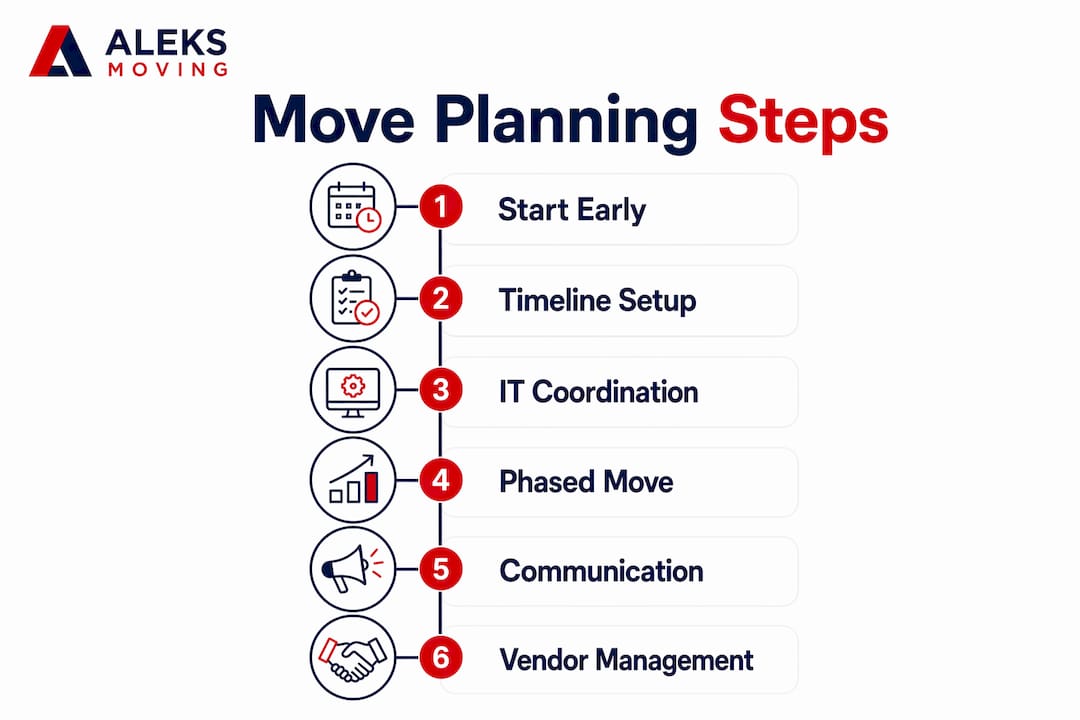
Office relocation downtime is defined as any period when your team cannot perform normal work due to the physical or technical disruption of moving. Knowing how to minimize downtime during an office move separates businesses that recover in hours from those that lose days of productivity. The core strategy rests on three pillars: early planning, a parallel IT workstream, and phased execution. Planning at least 6 months ahead can save up to 20% on total relocation costs by eliminating last-minute fees and emergency IT charges. For teams of 20 or more, appointing a dedicated project manager closes communication gaps and keeps facilities, IT, HR, and vendors aligned throughout the process.
How to minimize downtime during an office move with early planning
Early planning is the single most effective tool for reducing office move disruption. Businesses that begin the process at least six months before their move date avoid the compounding costs of rushed vendor bookings, emergency IT orders, and last-minute packing. The savings are real: starting 6 months ahead eliminates the premium fees that pile up when decisions are made under pressure.
A master relocation timeline with clear milestones is the backbone of any low-downtime move. Break the timeline into phases: lease confirmation, vendor selection, IT planning, department packing schedules, and post-move review. Each milestone should have an owner and a deadline, not just a vague target date.
For companies with 20 or more staff, a single project manager is not optional. This person coordinates every workstream, from notifying the landlord and utilities to confirming furniture delivery windows. Without one central point of accountability, decisions fall through the cracks and delays multiply.
Build contingency buffers into every phase. Vendor delays, permit issues, and elevator booking conflicts are common. A buffer of one to two weeks at key milestones prevents a single delay from cascading into a full week of lost productivity.
- Confirm lease and notify current landlord at least 6 months out
- Book freight elevators and loading docks at both buildings immediately
- Notify utilities, internet providers, and insurance carriers within the first month
- Assign department leads to own their team’s packing and readiness timelines
- Schedule a pre-move walkthrough of the new space with IT and facilities
Pro Tip: Create a shared project tracker in a tool like Microsoft Planner or Google Sheets so every stakeholder sees the same timeline in real time. Visibility alone prevents most scheduling conflicts.
Why IT relocation is the biggest downtime risk in any office move
Failing to treat IT relocation as a separate project stream causes most office move failures. General movers do not have the expertise to configure networks, test VoIP systems, or sequence server shutdowns safely. IT must run as its own parallel workstream with a dedicated technical lead.
The most overlooked item in any office move checklist is internet provisioning. Internet installation lead times run 30–90 days for buildings already on a provider’s network, and 60–120 days or more for off-network buildings. That means contacting your ISP on the day you sign the lease, not the month before you move.
The most effective approach to IT migration is the parallel infrastructure method. Parallel infrastructure setup runs the new IT environment alongside the old one, so staff can migrate without any gap in service. This avoids the traditional “rip and replace” approach, which forces a hard cutover and often produces multi-day outages.
- Contact your ISP immediately after lease signing and confirm installation dates in writing
- Engage a specialist IT relocation team separate from your physical movers
- Build and fully test the new network, servers, and VoIP at the new site before move day
- Back up all critical data to cloud and offline storage before any equipment is disconnected
- Prepare a rollback plan including backup broadband or hotspot connectivity in case the primary line fails during move week
- Label every cable, port, and device with its destination desk number before disconnection
- Sequence the shutdown and startup so critical services like phones and email come online first
Pro Tip: Ask your IT team to produce a one-page “day one connectivity” checklist. If every item on that list is green before staff arrive, you have done your job.
For a detailed breakdown of IT equipment relocation best practices, including hardware handling and network sequencing, that resource covers the full process.
What phased moving strategies actually look like in practice
Phased moves are the most reliable way to keep business operations running during a relocation. Instead of moving the entire office in one weekend, you move one department or floor at a time, keeping the rest of the business fully operational. This approach also gives your team a chance to test processes before the full migration.
- Pilot move first: Relocate a small, non-critical team first to identify problems before they affect core operations
- Sequence by function: Move support functions like IT infrastructure and storage before client-facing teams
- Maintain continuity zones: Keep at least one fully operational workspace at the old site until the final phase
- Use temporary seating: Set up hot-desking at the new location so early movers can work immediately upon arrival
- Schedule outside core hours: Moving during weekends or slow cycles lets teams settle without disrupting client-facing work
- Use short-term storage: Stage non-essential items in commercial storage solutions to reduce clutter and keep both sites functional during the transition
The table below shows how a phased schedule might look for a mid-sized office of 50 staff over three weekends.
| Phase | Who moves | Timing | Continuity measure |
|---|---|---|---|
| Phase 1 | IT infrastructure and storage | Weekend 1 | Old site fully staffed Monday |
| Phase 2 | Operations and admin teams | Weekend 2 | Skeleton crew at old site |
| Phase 3 | Leadership and client services | Weekend 3 | New site fully live by Monday |
Clear labelling and mapping of every item with its destination zone and desk number is what makes phased moves work. Without it, movers place items in the wrong rooms and teams spend their first morning sorting furniture instead of working.
How communication with staff and vendors reduces downtime risks
A structured communication plan is not a nice-to-have. A detailed, stage-gated communication plan maintains employee morale and reduces resistance, both of which directly affect how quickly your team returns to full productivity after a move.
Start communicating with staff at least three months before move day. Use multiple channels: email updates, team meetings, and a shared FAQ document. Employees who feel informed are far more likely to pack correctly, follow timelines, and raise issues early rather than on move day.
Give each department specific, written packing instructions with deadlines. Generic “pack your desk by Friday” messages produce chaos. Department-specific guides that include box labelling standards, what goes into storage, and what travels with the employee produce order.
Notify clients and key service providers four to six weeks before the move. This window gives them time to update records, adjust delivery schedules, and plan for any brief service interruption. Surprises cost relationships.
Centralise all vendor coordination through a single point of contact, your project manager. When movers, IT contractors, cleaners, and furniture suppliers all report to one person, conflicts get resolved in minutes rather than days. Celebrate milestones publicly with your team. Recognising progress keeps morale high during a period that most employees find stressful.
Key takeaways
Minimising office move downtime requires parallel IT planning, phased physical execution, and a single project manager coordinating all vendors, timelines, and staff communication.
| Point | Details |
|---|---|
| Start planning early | Beginning at least 6 months ahead cuts costs and prevents last-minute delays. |
| Treat IT as its own project | Assign a dedicated technical team and order internet on lease-signing day. |
| Use phased moves | Relocate one department at a time to keep core operations running throughout. |
| Communicate with structure | Give staff department-specific instructions and notify clients 4–6 weeks out. |
| Label everything | Tag every item with its destination zone and desk number before move day. |
What I have learned from watching office moves go wrong
After years of working alongside businesses through commercial relocations, the pattern is consistent. The moves that go badly are not the ones with the biggest offices or the most equipment. They are the ones where someone assumed the internet would “just work” at the new address.
Internet provisioning is the longest lead-time item in any office move, and it is the most commonly ignored until it is too late. I have seen companies arrive at a brand-new office on a Monday morning with no connectivity for three days because the ISP order was placed two weeks before the move. Three days of a 40-person team working on mobile hotspots is not a minor inconvenience. It is a serious operational and reputational cost.
The second pattern I see is the absence of a rapid response kit on move day. A box with spare keyboards, cables, a power bar, and basic tools costs almost nothing. Yet I have watched a single missing monitor cable hold up an entire department for two hours while someone drove to a store. The kit pays for itself in the first hour.
The third lesson is about people, not logistics. Employees who feel left out of the process become obstacles. They pack late, they ask questions on move day, and they arrive at the new office disoriented. The businesses that communicate early and often, and that celebrate the move as a positive milestone, get their teams productive again far faster. A phased move also helps here. When the first group moves and reports back that the new space is great, the rest of the team arrives with confidence rather than anxiety.
— Ali
Aleksmoving’s approach to low-downtime office relocations
Office moves in Ontario require more than a truck and a crew. They require coordination, timing, and experience with the specific challenges of commercial spaces.

Aleksmoving brings over 18 years of experience to office relocations across Ontario, with dedicated project managers who coordinate physical and IT equipment handling, phased move scheduling, and after-hours moves to protect your business hours. Our flat-rate pricing means no surprise fees on move day. We handle packing, office logistics planning, and careful transport of sensitive equipment so your team walks into a ready workspace. Contact Aleksmoving for a free upfront quote and let us build a move plan around your schedule.
FAQ
How far in advance should I start planning an office move?
Start planning at least 6 months before your move date. This timeline allows you to coordinate vendors, order internet installation, and build contingency buffers without incurring emergency fees.
What is the biggest cause of downtime during an office relocation?
IT infrastructure failure, particularly delayed internet provisioning, causes the most downtime. ISP installation lead times run 30–120 days depending on building type, so contact your provider immediately after signing the lease.
Should I move the entire office at once or in phases?
A phased move by department or function reduces disruption significantly. Moving one team at a time keeps core operations running and lets you identify and fix problems before they affect the full business.
How do I keep employees productive during a move?
Provide department-specific packing instructions, communicate updates through multiple channels, and maintain at least one fully operational workspace until the final phase is complete. Employees with clear instructions and regular updates adapt far faster.
Do I need a dedicated project manager for an office move?
For any team of 20 or more, a dedicated move project manager is the most effective single investment you can make. This person coordinates IT, facilities, HR, and vendors, closing the communication gaps that cause delays.